
This procedure will explain you how to create a new Teams or a new Channel

Create a Teams
- Open your Teams application
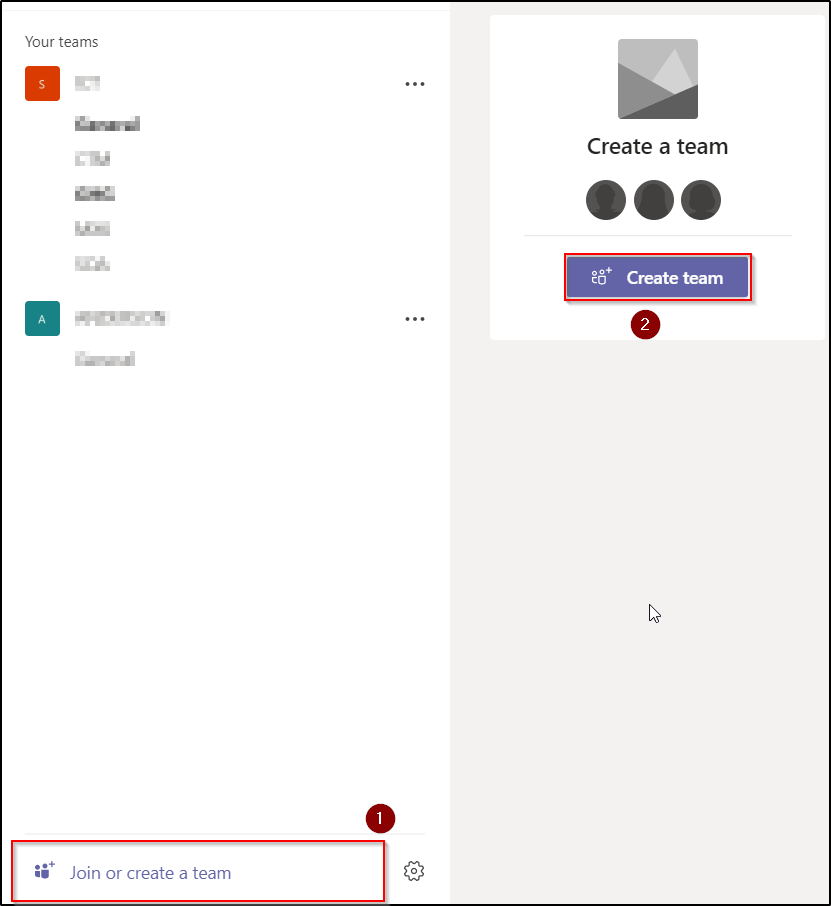
- On the left side, click on the Teams icon
-
Below, click on Join or Create a Team
-
Then, click on Create Team
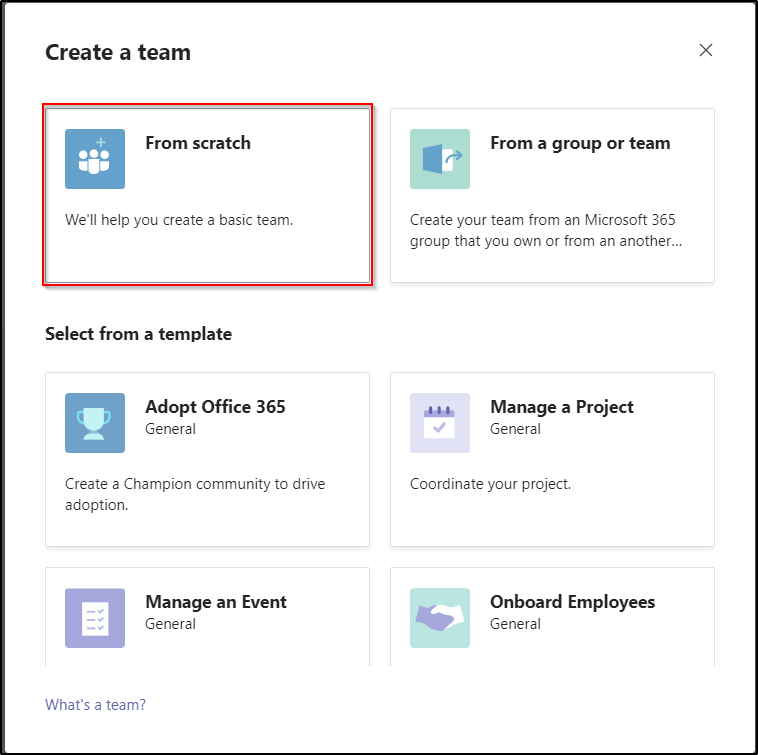
- A pop up appears, choose From scratch
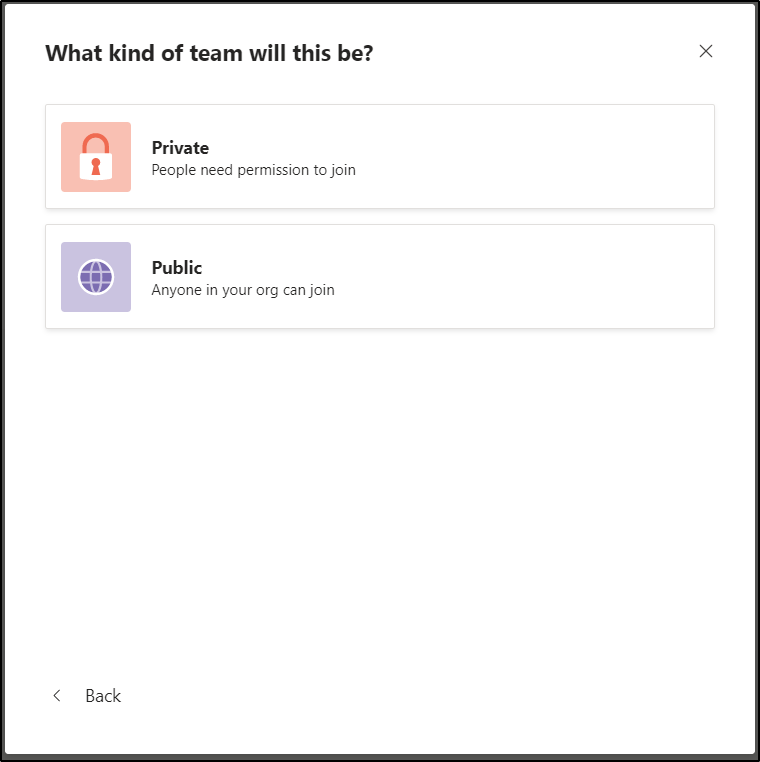
- Choose Private or Public channel.
- A public channel will be available for every Member or Guest who has access to the Teams
- A private channel will only be accessible for the Members or Guest who received access to it.
-
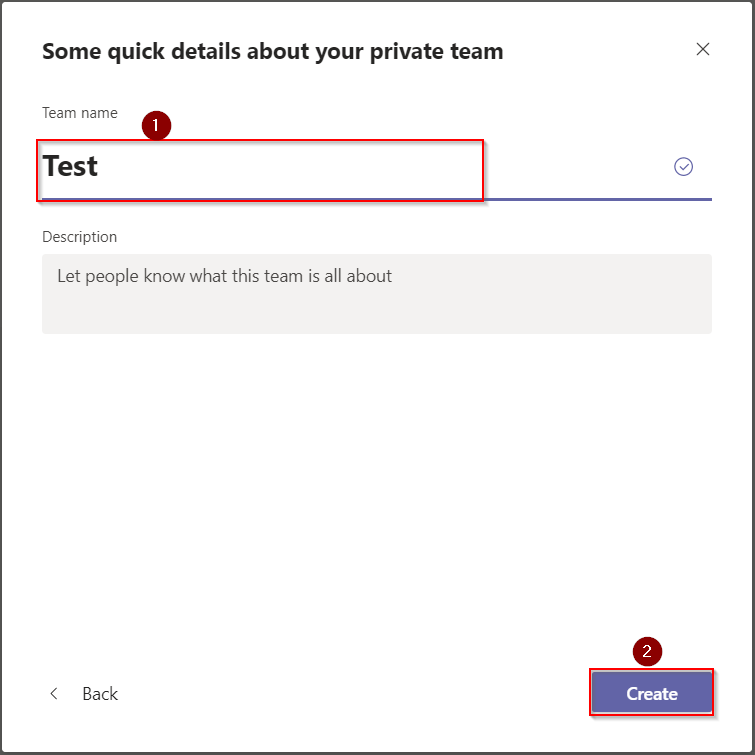
Enter the name for your Teams,
-
Click on Create
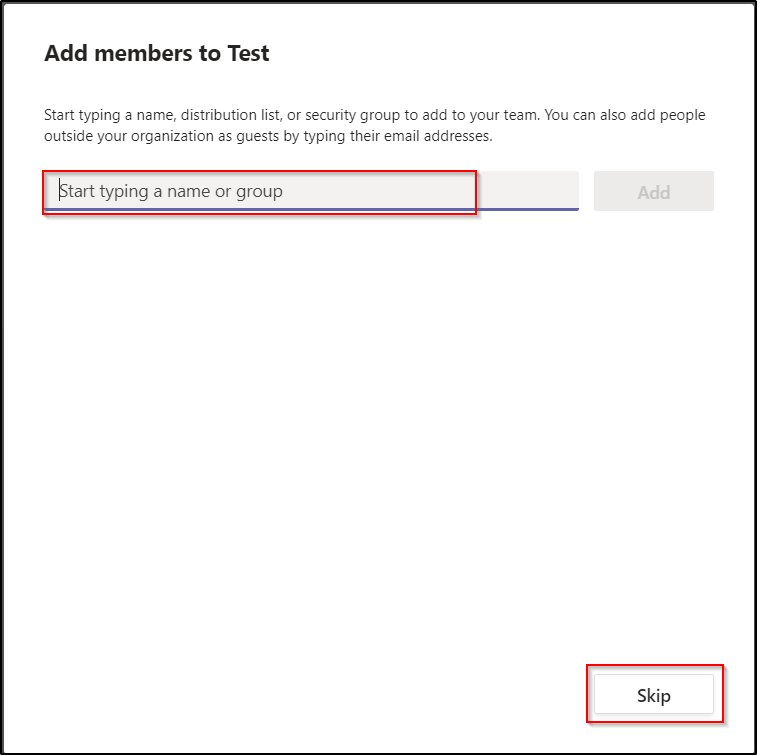
- You can add member at your Teams or skip
- Your Teams is now created!

Create a Public or Private channel
- Click on 3 points next to the name of the Teams to which you want to add a channel
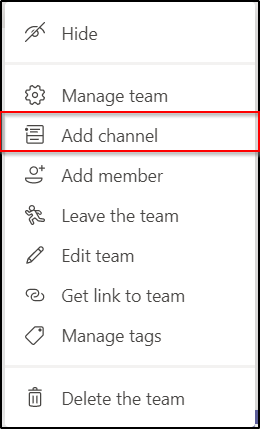
- Click on Add Channel
-
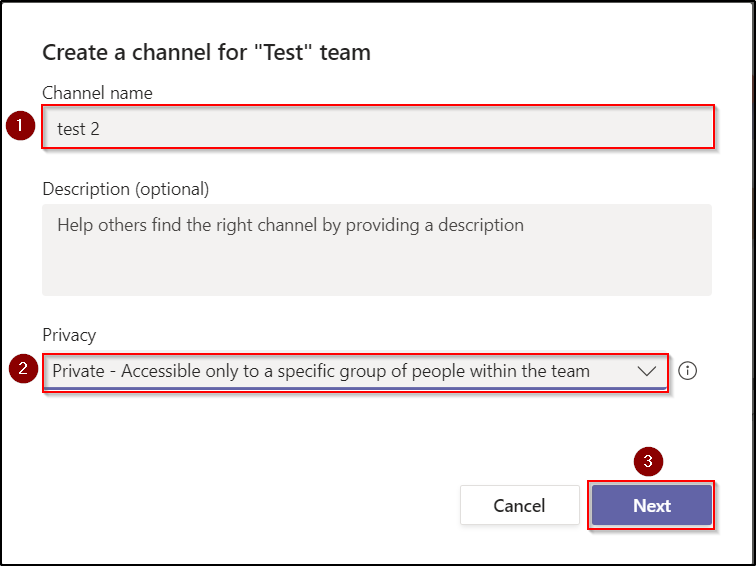
Enter your Channel Name
-
Select Private or Public
-
Click on Next (If it is a public channel click on Add)
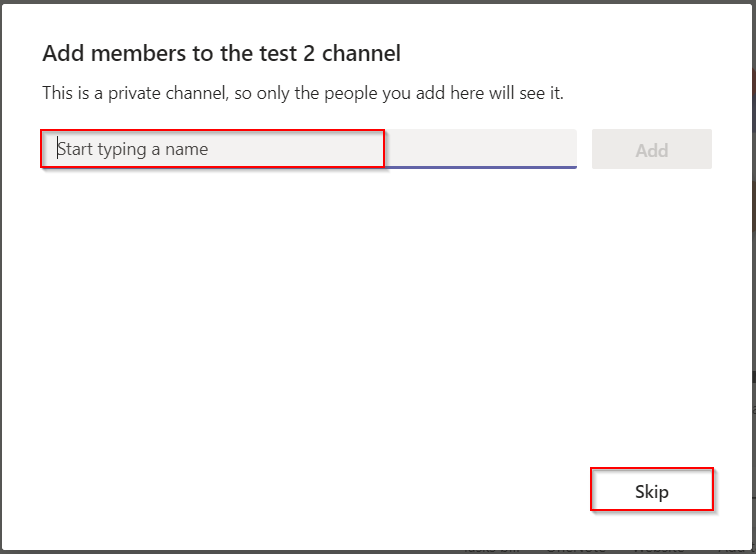
- If you selected Private, You can add member or Skip

- Now, your channel is create
- If you chose Private, a padlock appears next to it to show you that the channel has restricted access.